
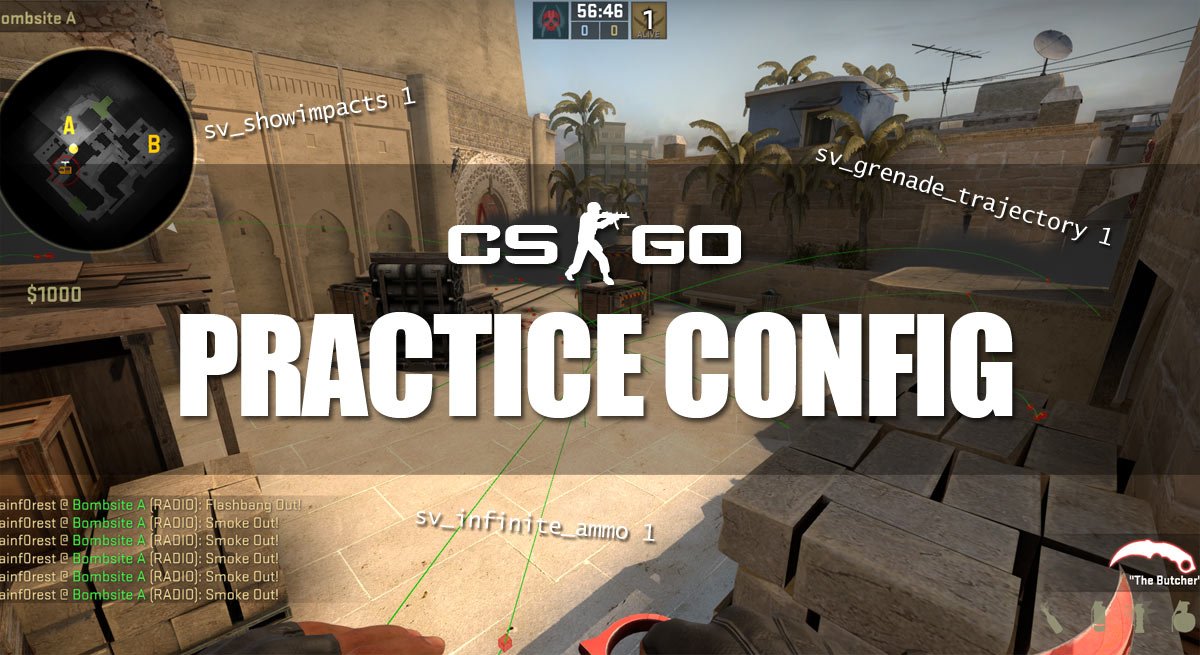
Smokes and flashes are very useful for strategies and combat in CS:GO. Many people like to practice their grenade throws, and you can find many videos on YouTube on how to do a specific smoke or flash.
In this guide, we will show you some of the most useful console commands, for practicing different grenades and throws. These commands will give you unlimited ammo, show the grenade trajectory & impacts and also include a bind for noclip (so you can easily fly around).
An example of the commands in use can be seen in the video below, where we demonstrate some easy smokes on de_mirage.
Quick tip:
Make a config file called nadepractice.cfg and put it in your CS:GO config folder – the CS:GO folder is normally located in:
C:\Steam\steamapps\common\Counter-Strike Global Offensive\csgo\cfg
Copy the commands below to your new config file. Every time you start a server, just type “exec nadepractice.cfg” and you are ready to go!
Let’s just get to it, here is the config for anyone interested:
Important: remember to replace KEY with your desired key to use “noclip” or give grenades.
Explanation of the commands used in this config
- sv_cheats 1: enables all commands.
- sv_infinite_ammo 1: infinite ammo.
- ammo_grenade_limit_total 5: you can have 5 grenades instead of 4.
- mp_warmup_end: end warmup.
- mp_freezetime 0: no freetime at the beginning of each round.
- mp_roundtime 60: round time in minutes.
- mp_roundtime_defuse 60: round time in minutes on defuse maps.
- sv_grenade_trajectory 1: show a trajectory/line when you throw grenades.
- sv_grenade_trajectory_time 10: the time in seconds before the trajectory/line disappears.
- sv_showimpacts 1: show bullet impacts (blu/red boxes).
- mp_limitteams 0: there is no limit on how many players there can be on one team.
- mp_autoteambalance 0: auto team balance turned off.
- mp_maxmoney 60000: you can have $60.000 instead of the default $16.000.
- mp_startmoney 60000: start the game with $60.000.
- mp_buytime 9999: the time in which you are able to buy (in seconds).
- mp_buy_anywhere 1: enables you to open the buy menu anywhere on the map.
- mp_restartgame 1: restarts the game after 1 second.
- noclip: you can fly and clip through objects.
- bot_add_t: add a bot to the terrorist team.
- bot_add_ct: add a bot to the counter-terrorist team.
- bot_kick: kick all bots.
- bot_stop: makes the bot stand still and do nothing.
Since this guide was written, we have made a more detailed guide for a general practice config.
If you have anything to add, please leave a comment.
How do you make a config file? I made a normal notebook text file, it dosen’t seem to work like that..
1. Create a normal Textfile (name doesn’t mather for now)
2. Open the empty text file and copie everything
3. Press “save as …”
4. change the “.txt” to “all files” (I don’t know if that’s what you call it in english but there are usually only 2 options so choose the one that does NOT say “.txt” in the end! :D)
5. name the file “nadepractice.cfg” without the ” ”
6. Now there is one .txt file and one .cfg file – you can delete the .txt file since you don’t need it anymore
7. Have fun at playing CS:GO!
There is also permanent fix for this kind of issues.. Fresh Windows install hides known file extensions by default. Only situation when that options is useful is when you dont know whats file extension. Then it kind of protects you not to screw it up. So, just disable it and Windows dont screw you.
And why Im writing this? I got screwed… its one of the first things I fix after installing Windows but now I had not yet done it.. And it shot my foot instantly. Or maybe it was nade this time.. XD
Pretty lulz but Microsoft even offers patch to fix this issue: https://support.microsoft.com/en-us/kb/865219
Go my computer->organizate->folder and search option->view->(middle page) unmark hide extension for known file tipe . then create a notepad folder and chage extension .txt in .cfg
yeah but how do i but the folder in csgo command? do i just right clikc the foler and paste in csgo orr what?
“exec *NAME OF FILE*” in-game in console
it has to end with .cfg
It always says: unknow command “/” or unknow command “s” …. (the first letter of the command)
no spaces
it still dont work for me
here are the 3 sets of commands that you should enter in console one by one:
sv_cheats 1;sv_infinite_ammo 1;ammo_grenade_limit_total 5;mp_warmup_end;mp_freezetime 0
mp_roundtime 60;mp_roundtime_defuse 60;sv_grenade_trajectory 1;sv_grenade_trajectory_time 10;sv_showimpacts 1
mp_limitteams 0;mp_autoteambalance 0;mp_maxmoney 60000;mp_startmoney 60000;mp_buytime 9999;mp_buy_anywhere 1;mp_restartgame 1
copy the first set, paste in console; the copy/paste the second etc.
i think you should add the fact that bot_kick gets rid of all the bots, while bot_kick t or bot_kick ct removes one bot of the specified team
guys this doesnt work for me
you have to type: “sv_cheats 1”.
Nice
Suppose i make this cfg …. and i use it …… then without shutting the game i start playing competitive then will i get VAC BAN ??? As the working cfg is still this practice one……. ????
You wont get a VAC ban. The commands and such this uses wont affect you outside of your own server.
I dont understand the part with KEY
So i should bind a key to fly. How do i do that and does it matter which key i bind?
it does not matter which key you choose. i use alt key for noclip so if you type bind “alt” “noclip” in console and then you press the alt key … you .. fly.
don’t forget sv_cheats 1
and of course to enable developer console in settings
It doesnt matter and in place of “KEY” just put the desired keyboard button and you are good to go!
(I recomend you use “p”)
Edit: Don’t remove the ” “-s
For lazy people:
sv_cheats 1; sv_infinite_ammo 1; ammo_grenade_limit_total 5; mp_warmup_end; mp_freezetime 0; mp_roundtime 60; mp_roundtime_defuse 60; sv_grenade_trajectory 1; sv_grenade_trajectory_time 10; sv_showimpacts 1; mp_limitteams 0; mp_autoteambalance 0; mp_maxmoney 60000; mp_startmoney 60000; mp_buytime 9999; mp_buy_anywhere 1; mp_restartgame 1
sv_cheats 1; sv_infinite_ammo 1; ammo_grenade_limit_total 5; mp_warmup_end; mp_freezetime 0; mp_roundtime 60; mp_roundtime_defuse 60; sv_grenade_trajectory 1; sv_grenade_trajectory_time 20; sv_showimpacts 1; mp_limitteams 0; mp_autoteambalance 0;
mp_maxmoney 60000; mp_startmoney 60000; mp_buytime 9999; mp_buy_anywhere 1; bot_kick; mp_restartgame 1
bind uparrow “noclip”; cl_grenadepreview 1; sv_rethrow_last_grenade;
sv_grenade_trajectory 1; sv_grenade_trajectory_time 10; sv_showimpacts 1;
mp_drop_knife_enable 1; mp_items_prohibited 0; give weapon_knife_widowmaker; ent_fire weapon_knife addoutput “classname weapon_knifegg”
Does anyone know if it’s possible to point a spot on the map, move away, and see where to aim and throw smoke grenade so it goes on the spot ?
Yprac guide maps
Hi Guys,
How do i go back to the default values aka unloading these settings ?