
Maybe you have seen it, maybe you just discovered bu reading this post – but you can actually rename the bomb in Counter-Strike Global Offensive. Valve did even make a patch, so that the nametag got positioned on the bomb itself (before it was just floating around).
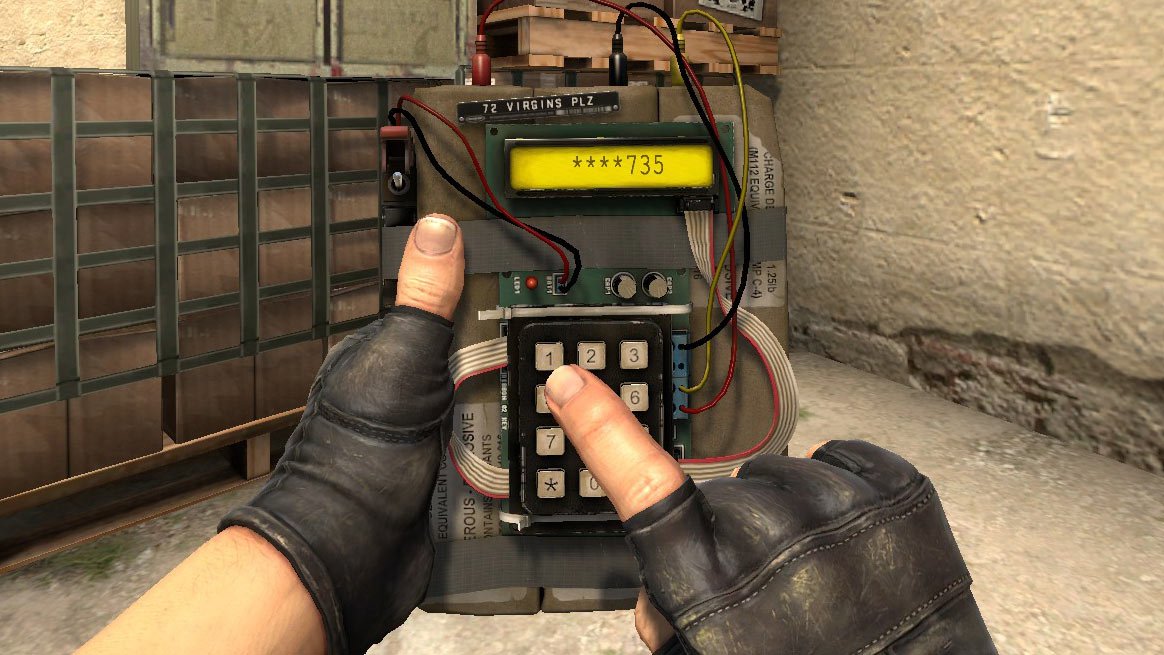
This method is secure – you will NOT get banned or anything like that. It will require to edit a single text file and should be pretty easy for even beginners.
First you need to be able to see the bomb in your inventory.
Step 1 – Find and edit items_game.txt
You need to edit a file called items_game.txt, located in your CS:GO directory. Usually:
C:\Program Files (x86)\Steam\steamapps\common\Counter-Strike Global Offensive\csgo\scripts\items
If you can’t find the folder:
- Open Steam
- Right click on Counter-Strike Global Offensive
- Select “Properties”
- Click the tab called “LOCAL FILES”
- Click “BROWSE LOCAL GAME FILES…”
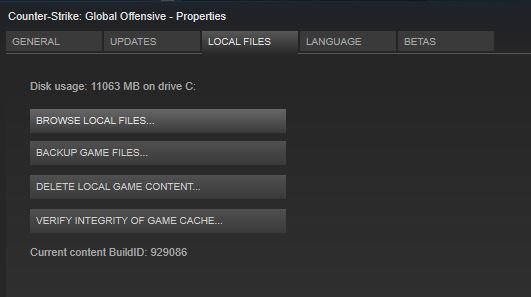
When you have found the file (items_game.txt), I recommend you to copy the file, so that you have a backup. Once done, open the file in a text editor (use can use Notepad).
Click edit -> Find… and search for “weapon_c4“. You can also press CTRL+F to open the Find dialogue window.
You should know see a line like this:
"item_slot" "c4"
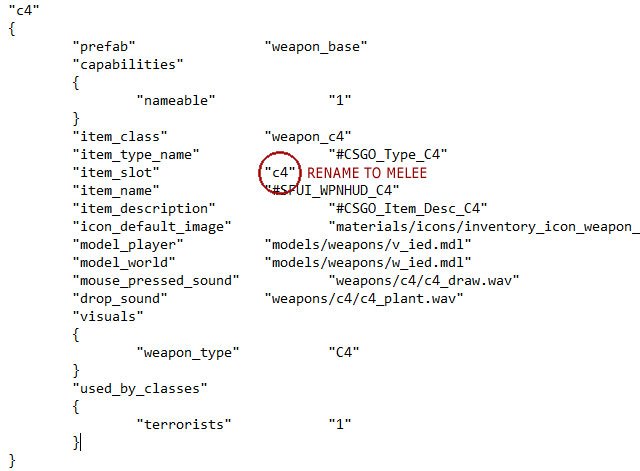
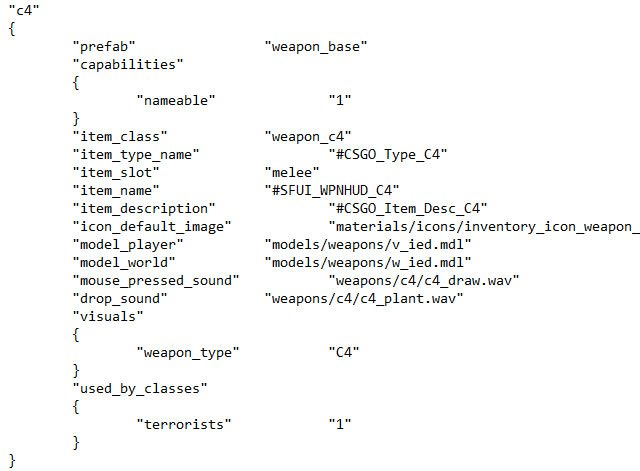
Rename “c4” to “melee” and save the file.
Step 2 – Rename the bomb in-game
Open CSGO and go to your inventory.
Untick “Hide Default Items”.
The bomb should now be visisble. If you can’t find it, use the filter and filter knives only.
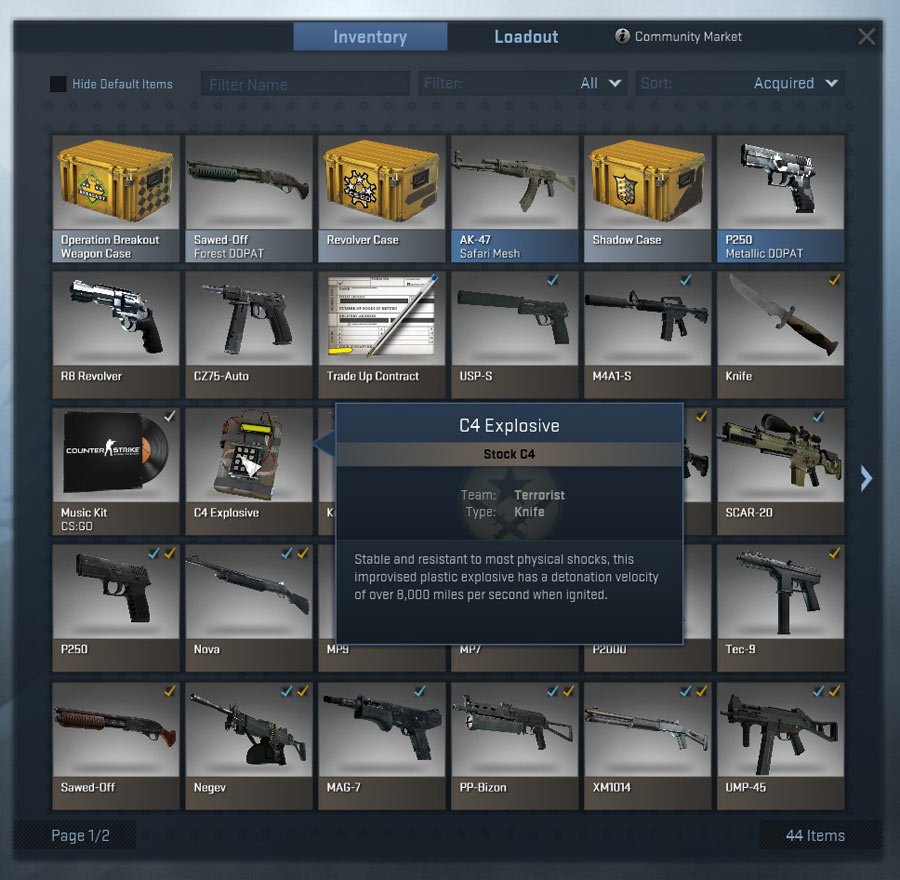
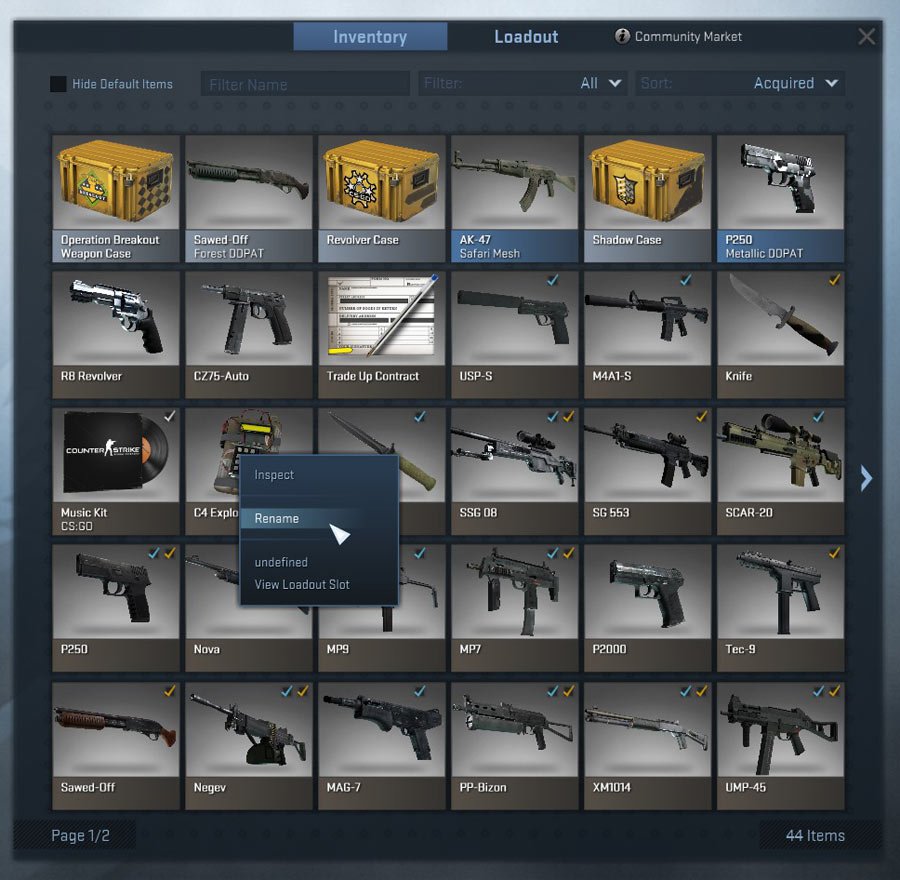
Right click the bomb and click “Rename”.
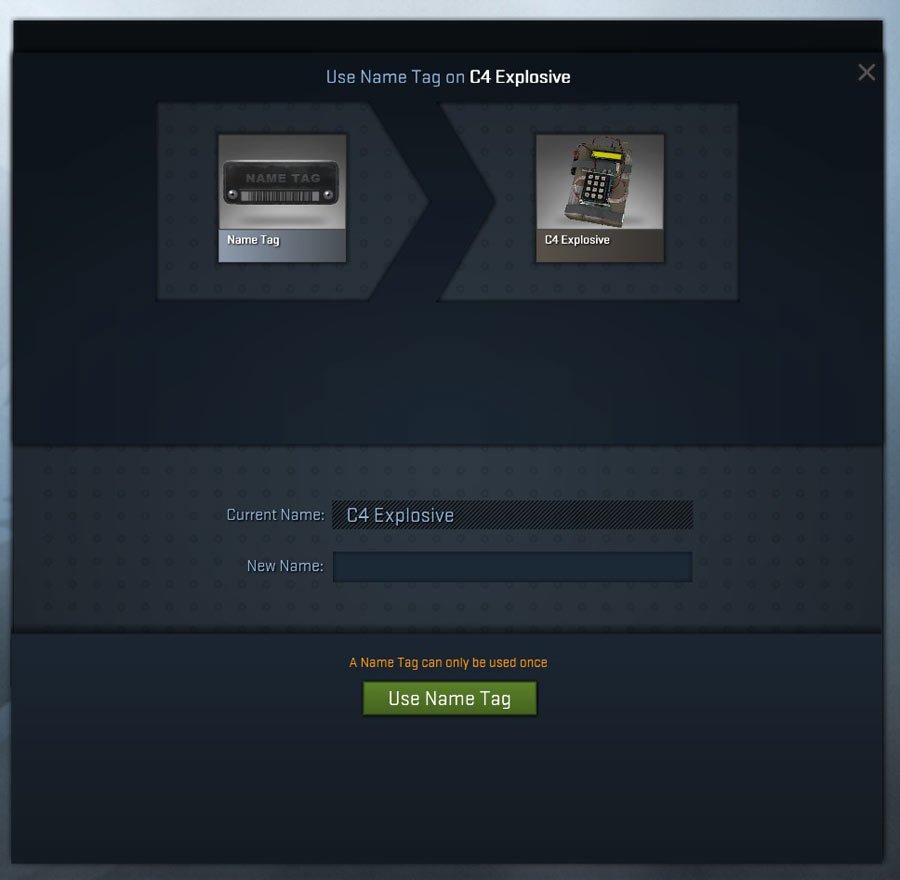
You can now rename your bomb, if you need inspiration for a good C4 name, you can check our post about funny skin names.
It will cost you the price of a nametag. So if you don’t have one you will need to purchase one.
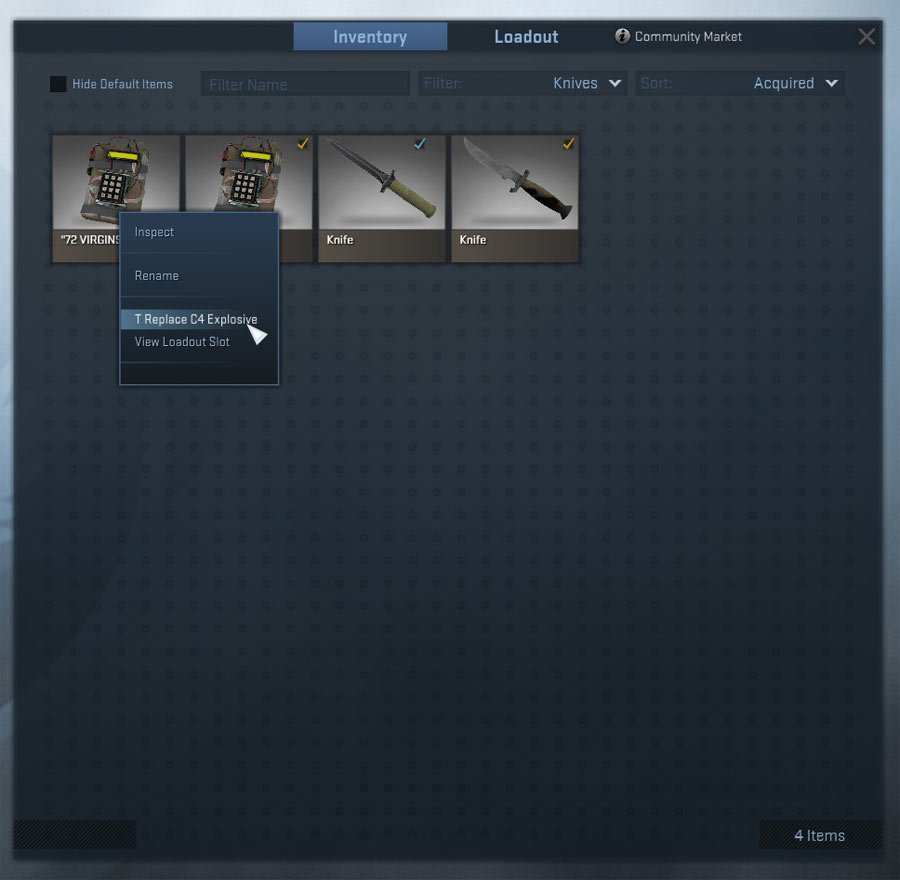
After you have chosen a name, you need to equip the renamed bomb. Go to your inventory again and find the renamed bomb, right click and click “T Replace C4 Explosive”. First time it might be called “undefined”.
Now we are almost there.
Close CS:GO and open “items_game.txt” again. Replace “melee” back to “c4” again and save the file.
Step 3 – Done
No more steps – you are done! Open CS:GO and enjoy your new “renamed” C4 explosive!
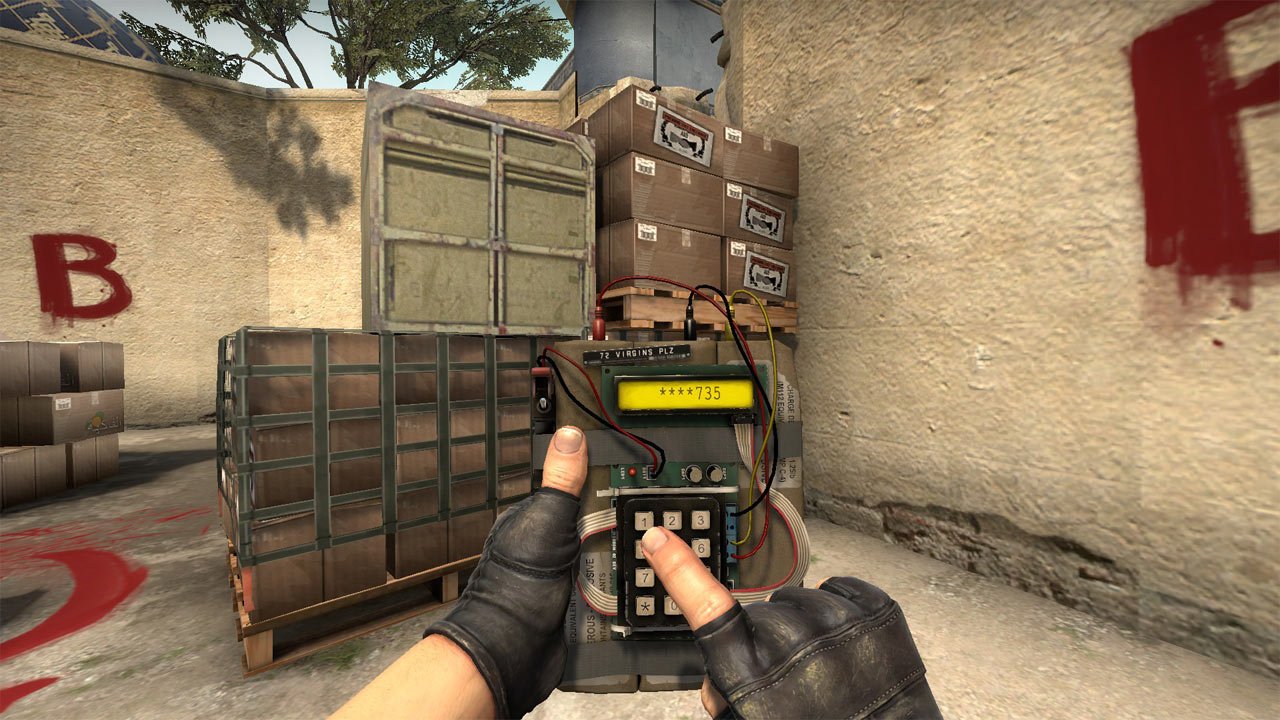
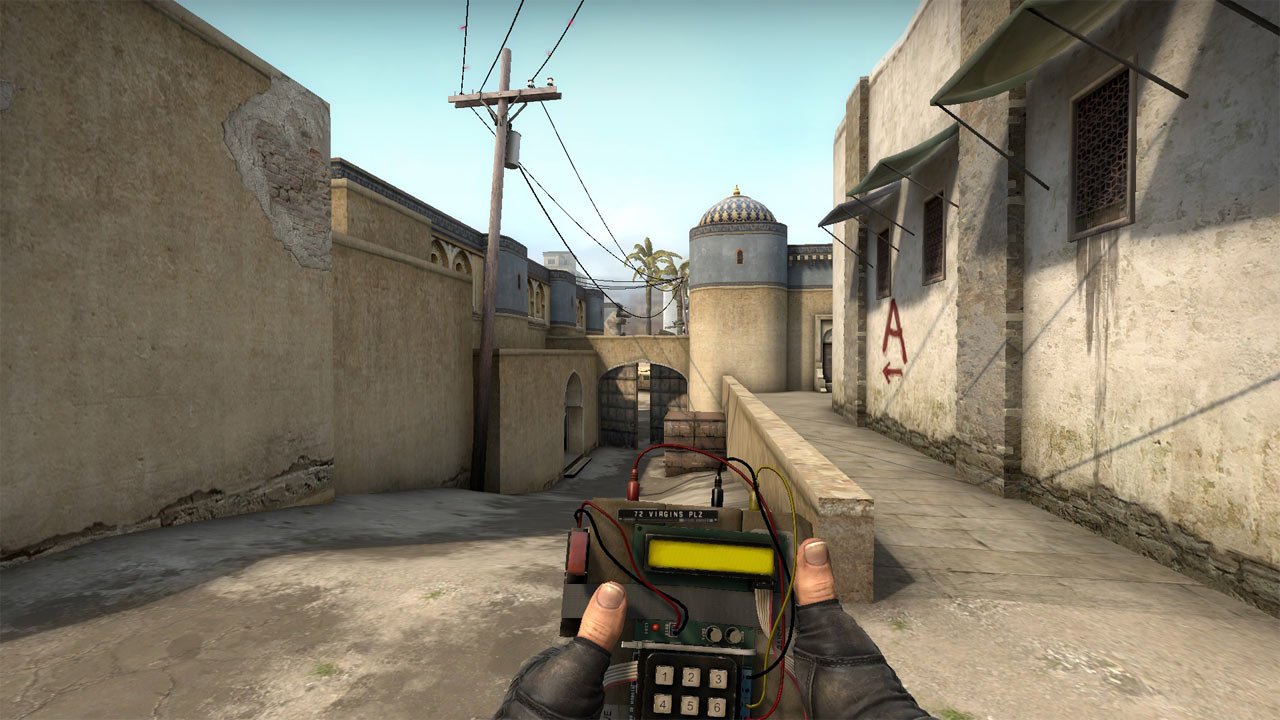
Troubleshooting
If you are having trouble joining servers, after you have renamed the bomb, you might want to verify the integrity of game cache.
To do this right click Counter-Strike Global Offensive in Steam and go to properties. Click “Verify integrity of game cache…”. It will take some minutes and tell you if it has restored anything. You should be able to join servers again after this.
Extra info
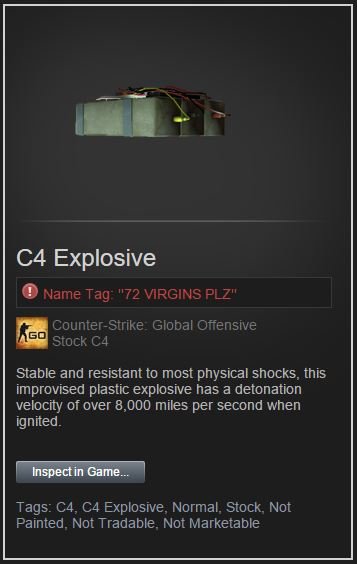
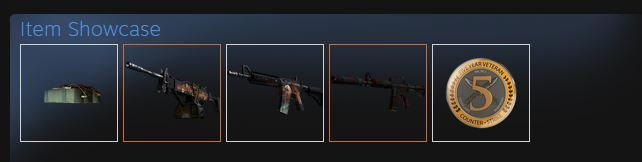
After you have renamed the bomb, you are able to see the bomb in your Steam inventory as well as displaying the bomb in your item showcase (you will need a Steam level of 10 at least).
Steam inventory example:
Item showcase example:
Got a question? Add a comment below!
can i get banned
no
It’s not there for me what to do???
change the filter of your inventory to defaut items or knives only
doesn’t work, there is an error and keeps kicking me out of the server..
Just Delete the text file. Then verify the game and it will reinstall the original file. Happened to me too…
i spend 2$ for nothing, based on your topic..
Calm the **** Down he made a mistake, delete you items_game.txt verify csgo and just equip the renamed bomb, ffs
Others are able to see that name too?
yes
only works with bots. on server with other players does not appear the name.
Not true I works everywhere
It works wverywhere!!! my teammate gave me c4 named crazybitch i was amazed
Will this work in Matchmaking ?
Yes it works in MM.
Is there an up to date version of this?
How to do this on Linux 0~o
it’s the exact same way. browse local files in steam and this should bring you to /home/*your_username*/.steam/steam/steamapps/common (might be different from one distro to the other) and the edit the same file which is stored at the same place in the tutorial. (i recommend making a .bak of the file.) this will show the bomb in the inventory. change the bomb name. Right after changing the bomb’s name you need to reinstate the old .bak file. otherwise the server will kick you because your file will not match the server. then have fun…
is this Legal?
No, FBI is watching this exploit 24/7
I dont see it named? I have it equipped but the c4 has no name, even with bots